
Your NAS, connected
Browse SMB network shares and play your own videos. Connect an Emby or Jellyfin server, or open a local file.
YOUR MEDIA. YOUR WAY TO WATCH.
From your NAS to Emby, Jellyfin and local files. Bring your videos together, pick up where you left off, and settle in.
Free to download · No Plynic account · Bring your own media
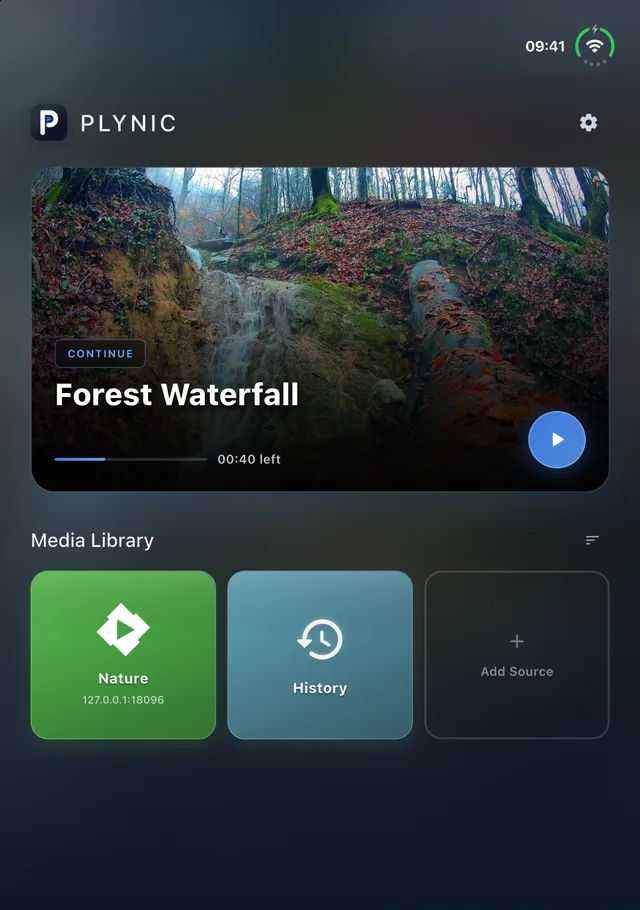
THOUGHTFUL DETAILS. BETTER VIEWING.
Browse SMB network shares and play your own videos. Connect an Emby or Jellyfin server, or open a local file.
Find recent videos on your home screen and save favorites. Sync playback progress and favorites with your Emby or Jellyfin server.
Enjoy subtitle formats including ASS. Adjust size, position and timing to make every line comfortable to read.
Add a custom danmaku server in Settings. Turn on subtitle avoidance to keep comments clear of your subtitles.
Import an M3U playlist to browse channels and program information. Content and guide availability depend on your provider.
Watch on iPhone, iPad, Android, Apple silicon Mac and Android TV. Browse and control playback with your TV remote.
IPHONE DUO · 1.0.21 PREVIEW
Half-fold your device to keep the picture above and playback controls below. From your home screen to your library and subtitles, everything has its place.
Version 1.0.21 has been submitted for App Store review. The new Duo layouts will be available after approval.
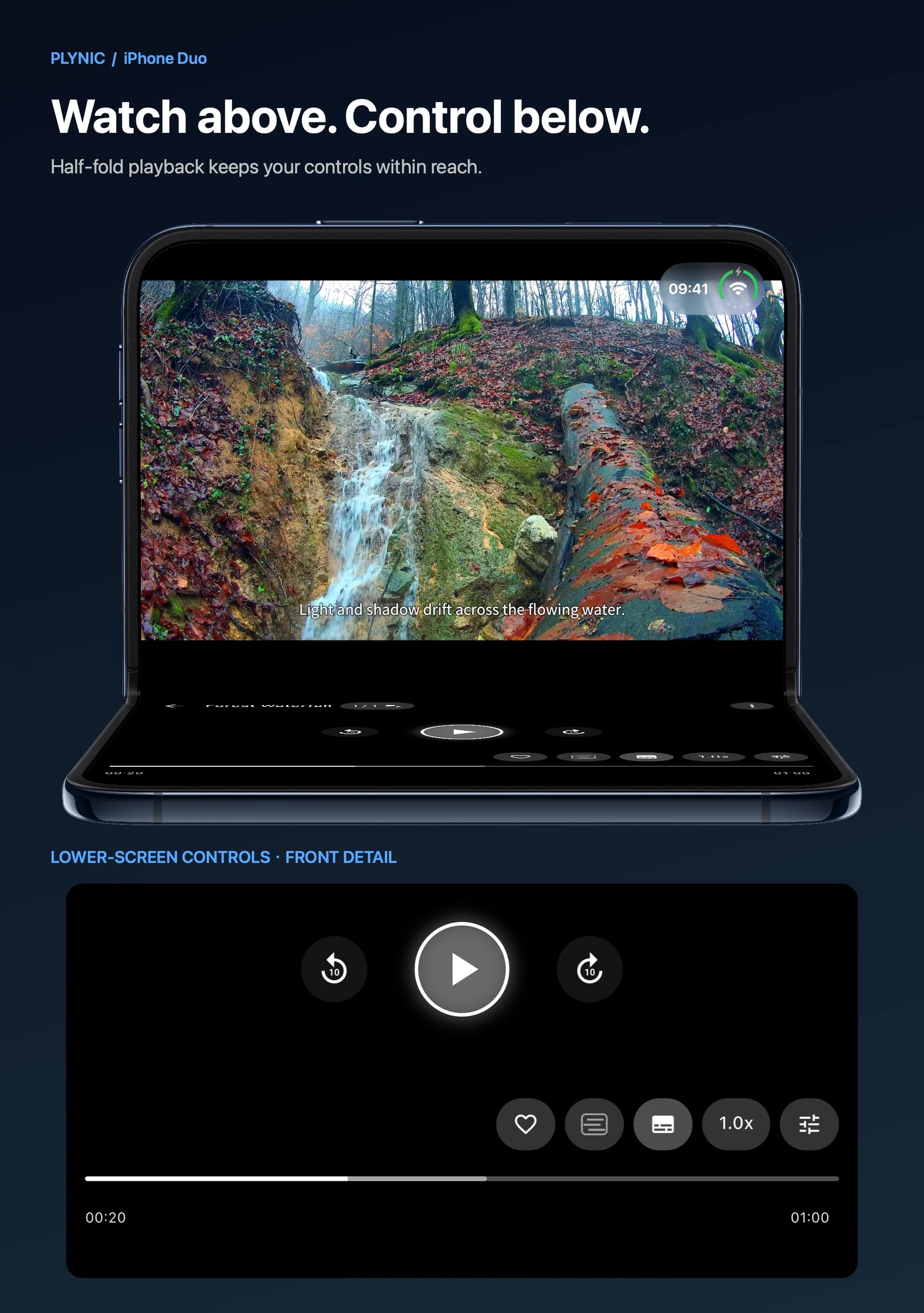
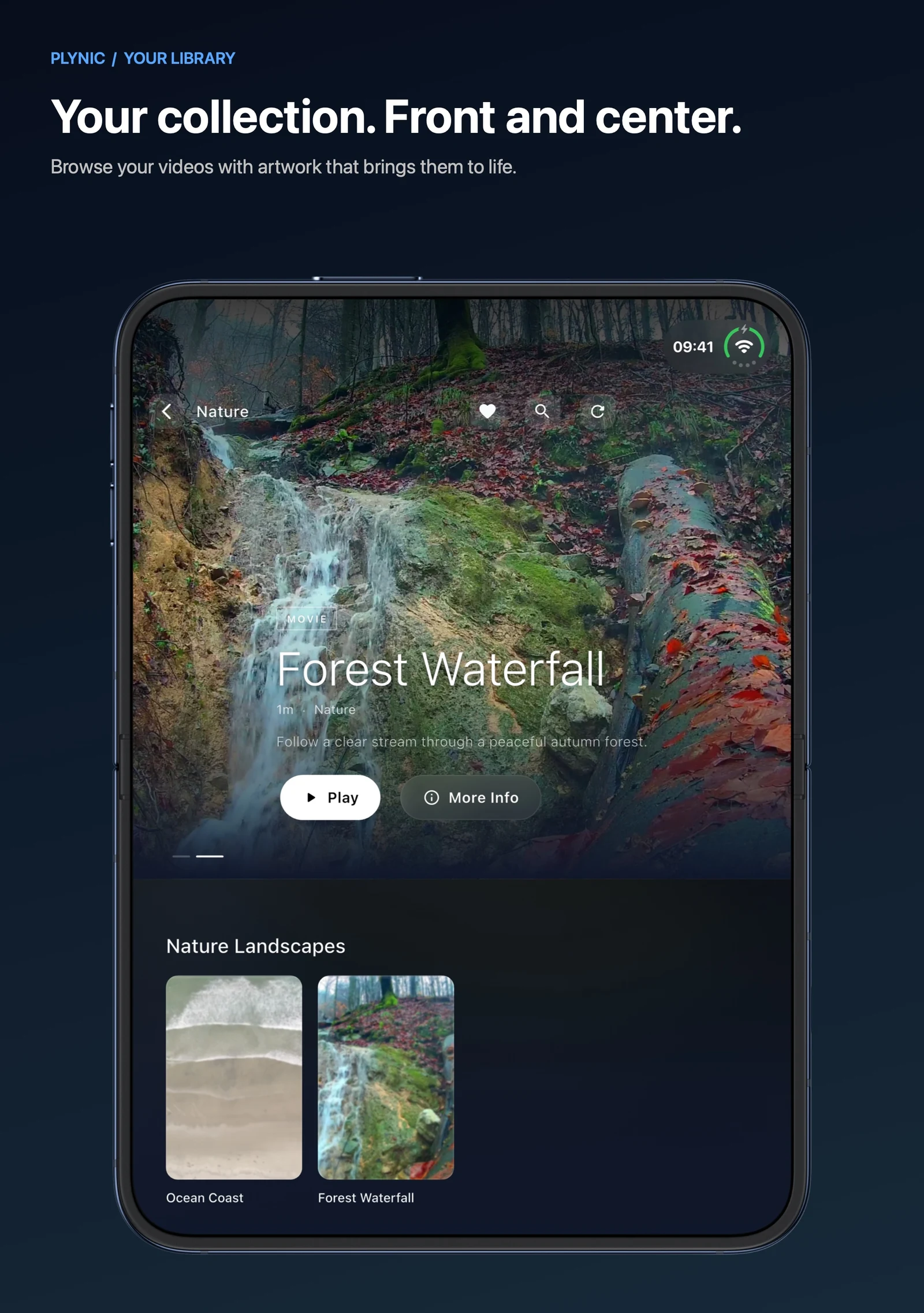
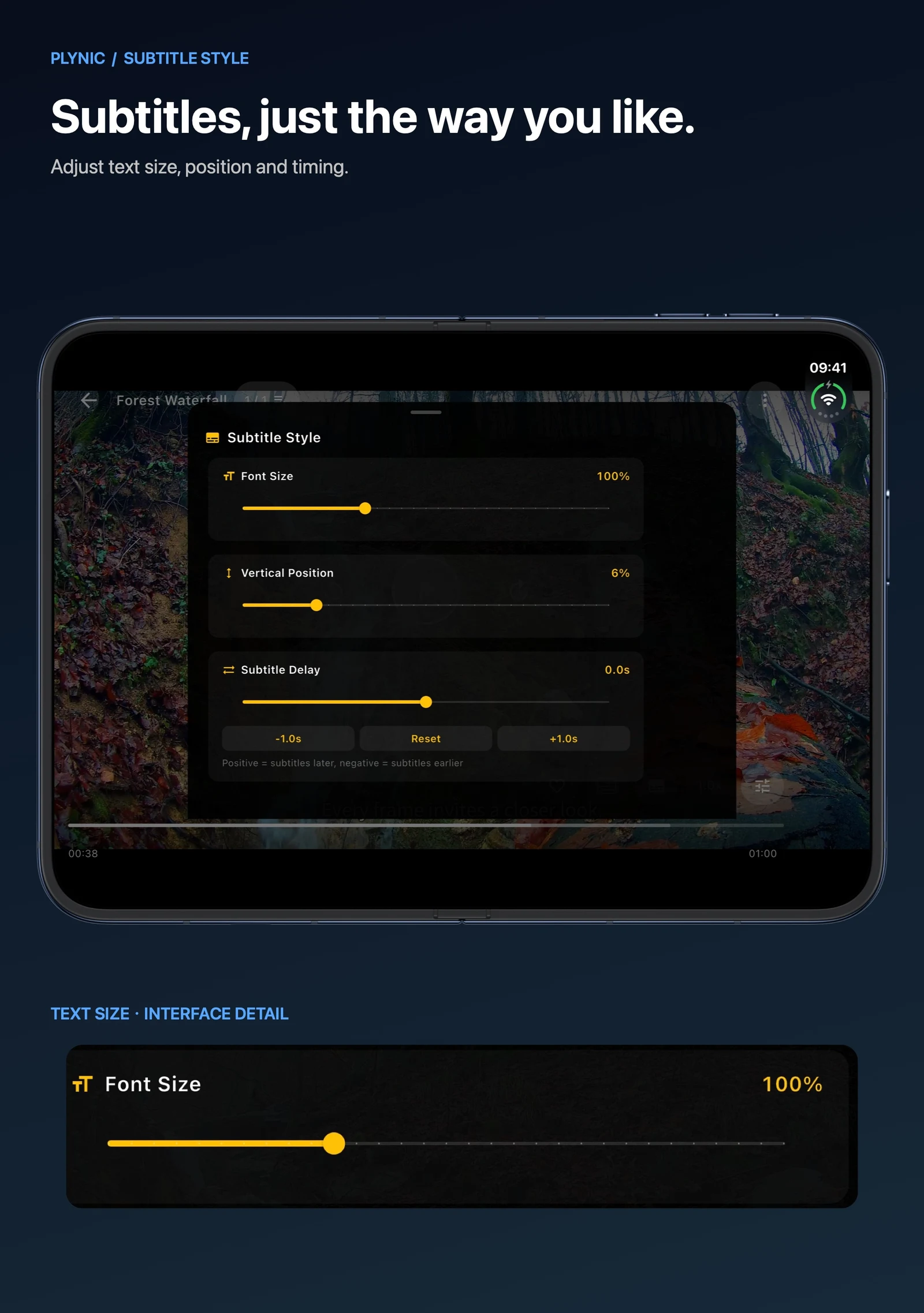
Real app interface · Demo media is not included
START WITH YOUR FIRST VIDEO
Choose the official download for your device.
Connect your NAS, Emby or Jellyfin server, or open a local file.
Choose your subtitles and speed. Continue from home next time.
DOWNLOAD PLYNIC
Choose your device. Platform releases are independent; check the download destination for the available version.
iOS / iPadOS 15 or later
Open App StorePhones and tablets · APK installer
Download Android APKApple silicon · macOS 12 or later
Download Mac DMGSame Android APK · Remote controls
Download Android TV APKNeed a hand connecting your library? Read the getting started guide →
No. Plynic is a media player, not a movie catalog or TV service. Add files, servers or playlists that you own or have permission to access. Nature footage on this page is for demonstration only.
Plynic is currently free and does not require a Plynic account. Protected SMB shares, Emby and Jellyfin servers require your own server credentials. Third-party services may have their own fees.
Put your device and NAS on a network where they can reach each other. Enable SMB file sharing on the NAS, then add an SMB source in Plynic using the NAS address, share details and an account with access.
Version 1.0.21 introduces separate video and control areas and adaptive browsing for iPhone Duo. It has been submitted for App Store review. These images preview the update; check the App Store for the available version.
History and preferences are stored on your device; Emby and Jellyfin progress and favorites can sync with your own server. The app also collects usage and diagnostics linked to a random installation ID, plus approximate location inferred from IP, without advertising tracking. See the privacy policy for details.
Check server connectivity, account permissions and whether the file plays correctly. Then check the selected subtitle track and timing offset. When contacting support, include device, OS and app versions and reproduction steps. Never send passwords, tokens or a private media library.
Plynic does not host movies or channels. Connect sources you trust and manage your own media. Read how data is used, or get help when you need it.